The Fitbit Air is a terrible wonderful product
An otherwise great fitness band is weighed down by a half-baked Gemini integration. But it's still a great product.
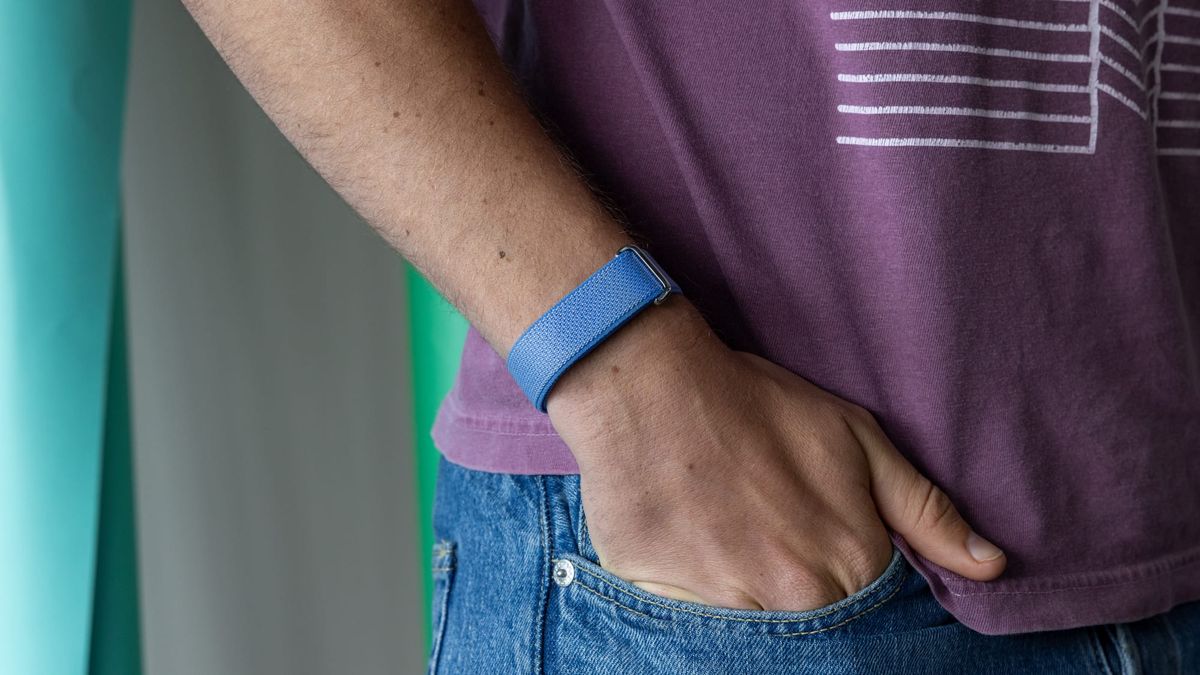
I'm not a smartwatch guy. Or at least, I'm not anymore. In 2014 I stayed up until 2 in the morning to pre-order multiple Moto 360 smartwatches for my friends and myself. I tinkered and toiled, making various fun, often stupid watchfaces for the thing. And I loved it. But as the internet and apps matured, the constant notifications and growing screen time started to stress me out way more than they helped me.
I kept testing smartwatches, albeit less and less as I lost interest, and made it as far as the Apple Watch Series 6 (my first Apple Watch) before deciding these things just weren't for me. Minus a few key metrics like continuous heart rate, sleep tracking etc, your phone already does a surprising amount of what people buy smartwatches for. So now I just wear regular analog watches. Nothing fancy, usually a $50 or $60 Casio. Trust me, I don't need another hobby.
But since I dropped them, smartwatches have quietly evolved into fitness-first devices, measuring heart rate every few seconds, tracking sleep, and generally monitoring your health. I've been feeling some FoMO for that information, but I just don't want to give up my Casios, or stare at more screens. Turns out I'm not alone. Players like Whoop have entered the market set on doing one thing really well: tracking your biometrics. Whoop kind of had the market cornered, but at a $200 minimum yearly subscription, it's out of reach for a lot of people.
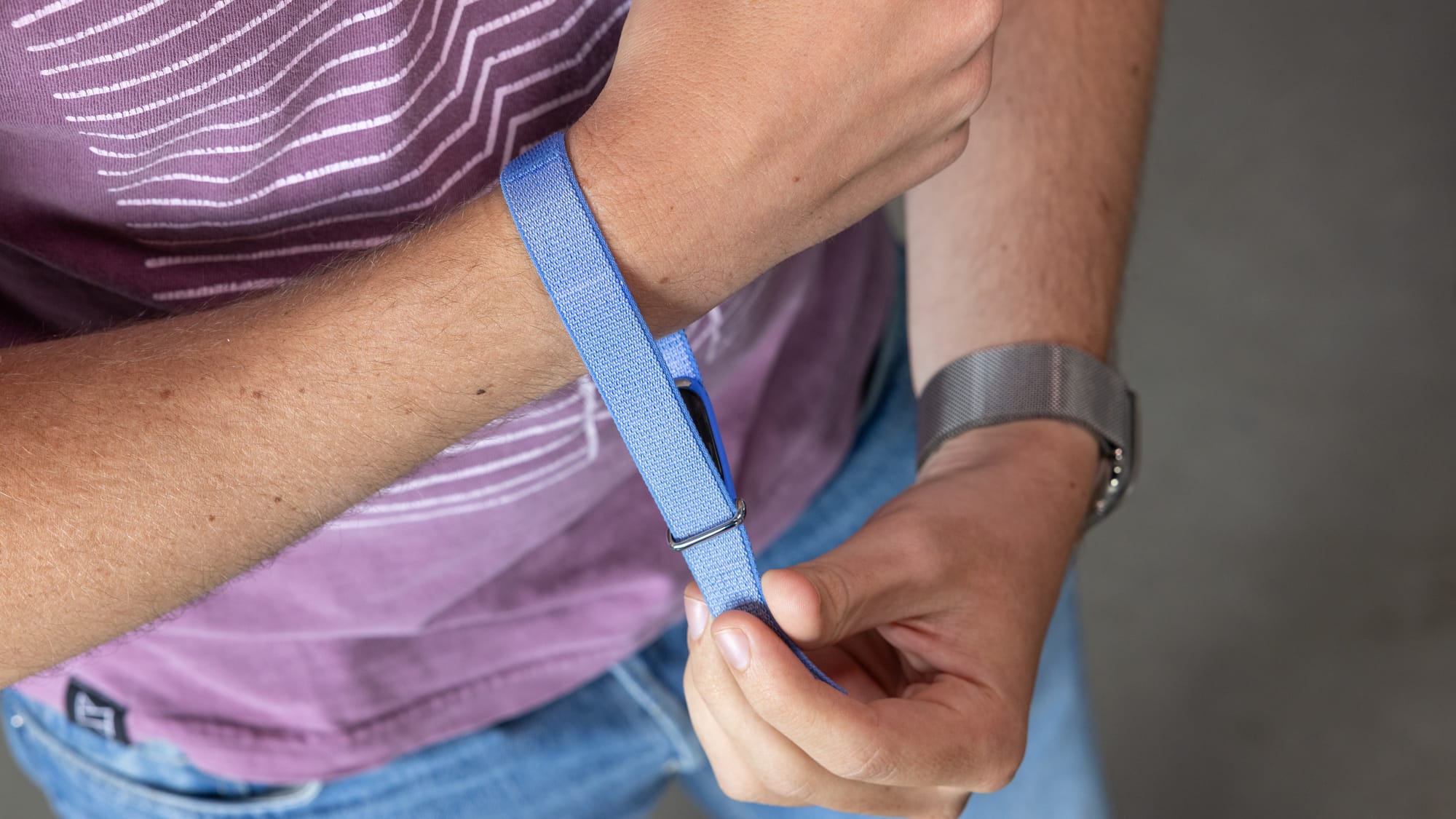
Enter the Fitbit Air: a $100 band that gives you practically the same data and gets out of your way. It's a wonderful product. It's also, thanks to one Gemini, a frustrating one.
I want to be clear that I'm sort of reviewing this thing in a vacuum. I have not yet used a Whoop, the market leader in this category, though I'm going to give it a shot now that I've used the Fitbit Air. I'm really reviewing this from the standpoint of someone who works out in the gym about 4-5 days a week, walks a LOT, and wants a little more fitness information than my phone automatically provides.
The basics
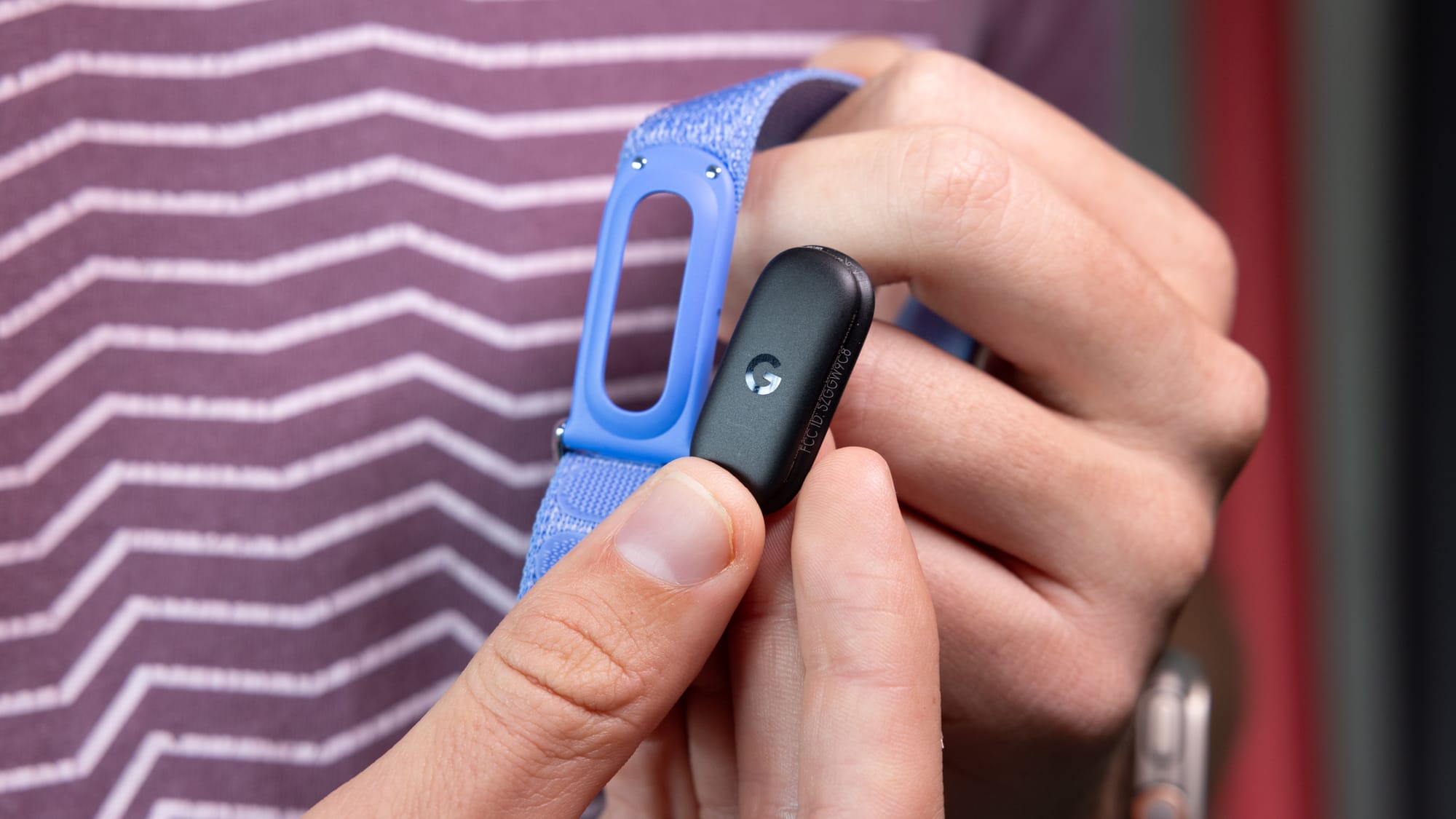
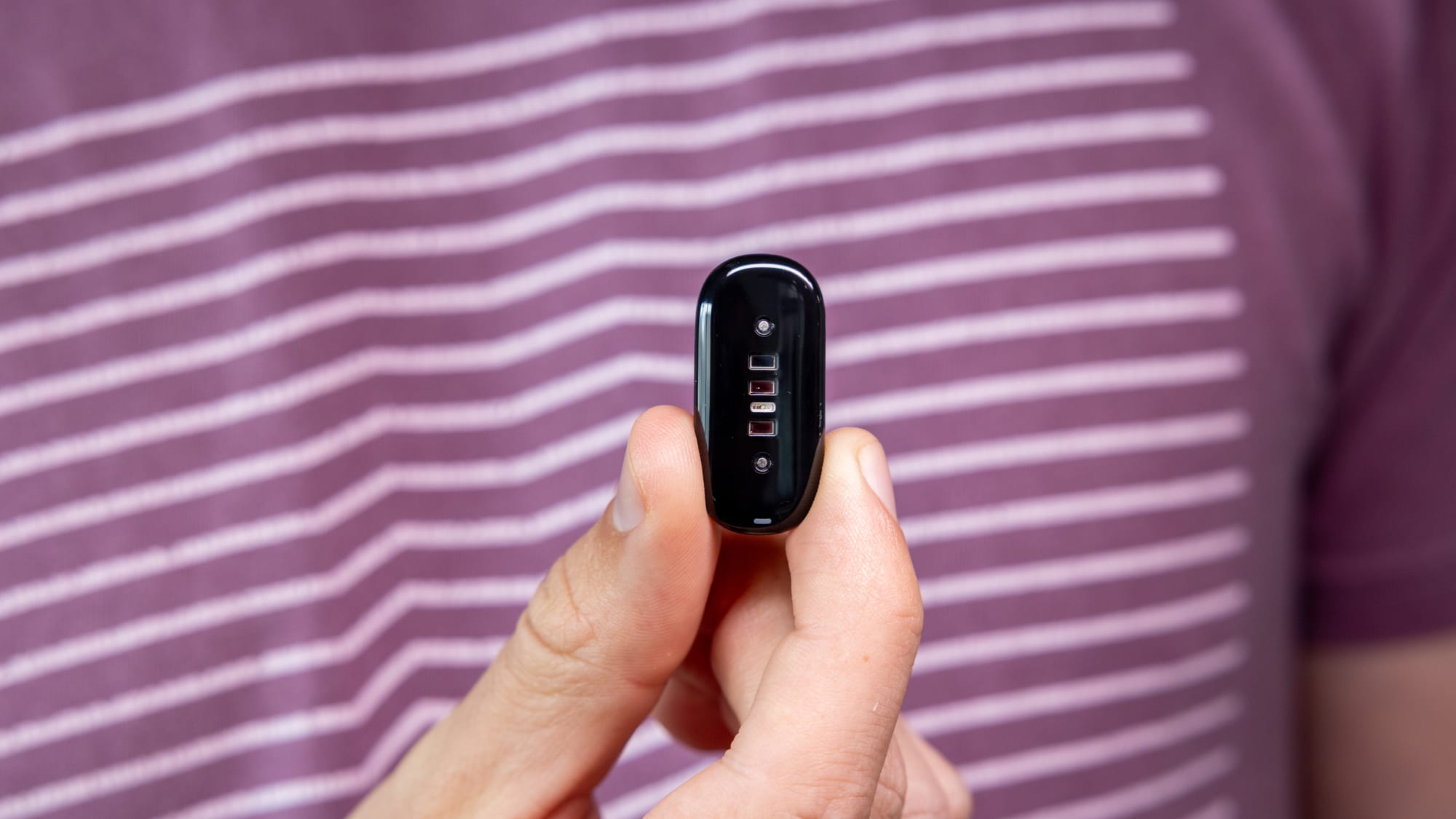
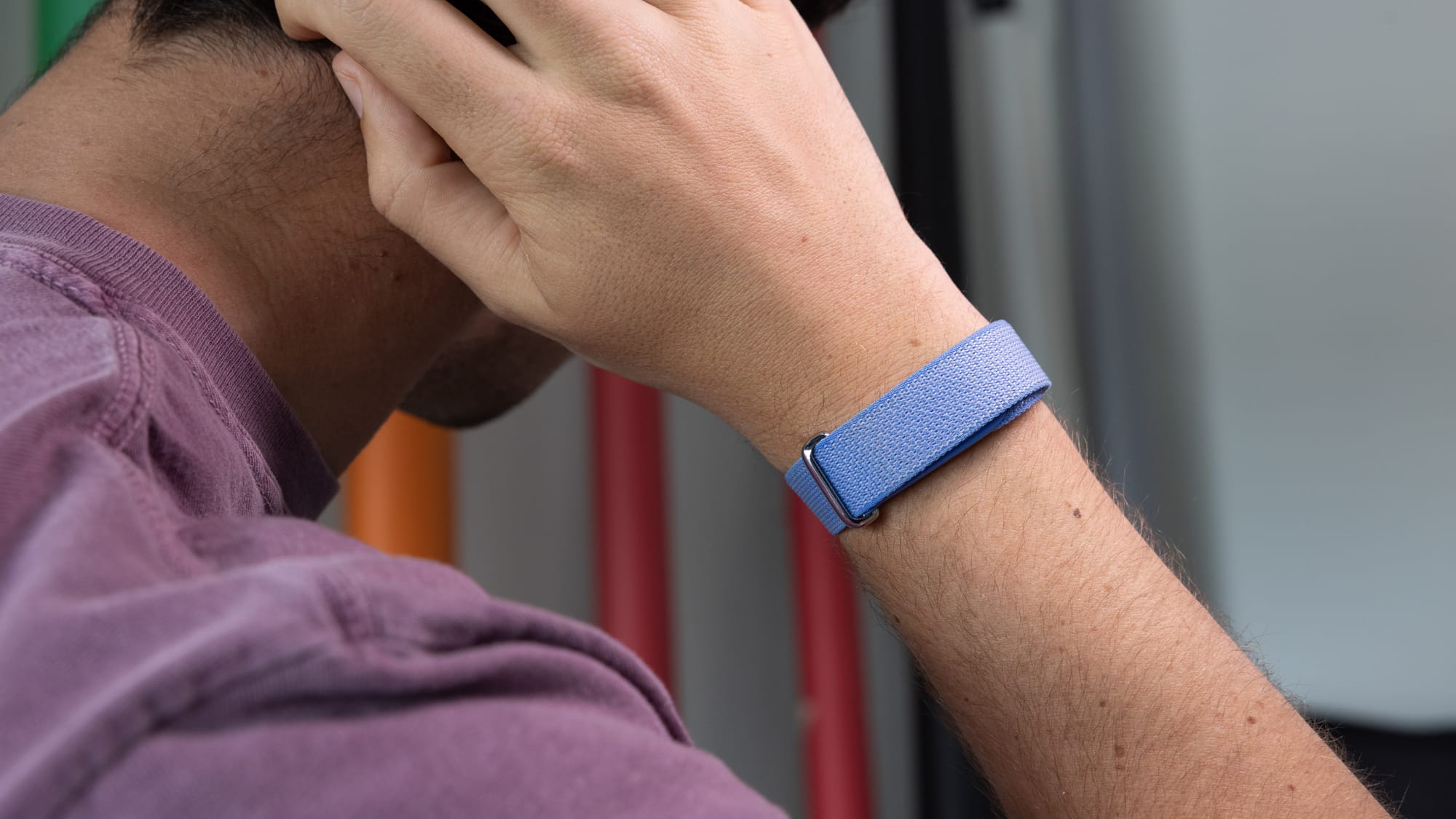
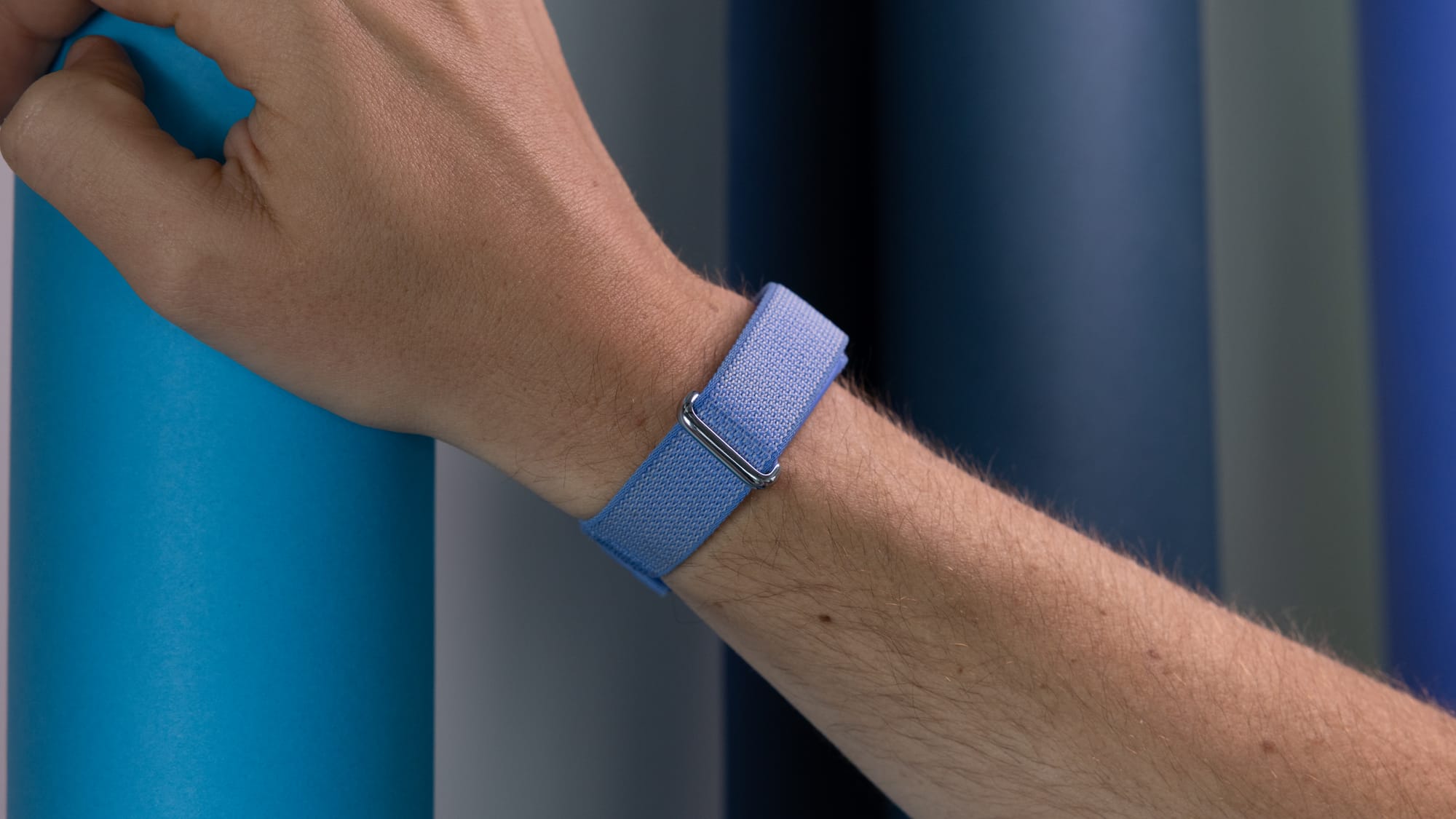
The Fitbit Air itself is a small 5.2 gram puck which collects various information like heart rate, accelerometer and gyroscope information, and infrared sensors for SpO2 monitoring. It's pretty shocking how small this thing is, but I suppose it shouldn't be too surprising considering Google packed all the same sensors into the much more complex Pixel Watch.
The puck itself is fully water and sweat resistant, rated up to 5ATM for swimming, and can be inserted into a variety of different bands. There's a "Performance Loop" made of a recycled material, an "Active Loop" made of silicone, and an "Elevated Modern Band", which is made to look a bit fancier, but I found the material pretty lacking. I truly can't wait for third parties to start making different bands, and hopefully straps that let you wear it on your bicep or chest so it's even more discreet.
Because the Fitbit Air doesn't have a screen, you control it through the new Google Health app on your phone, which was previously the Fitbit app. Google is clearly trying to mirror Apple here, shifting everything wearable into one app instead of having a bunch of different apps for different products.
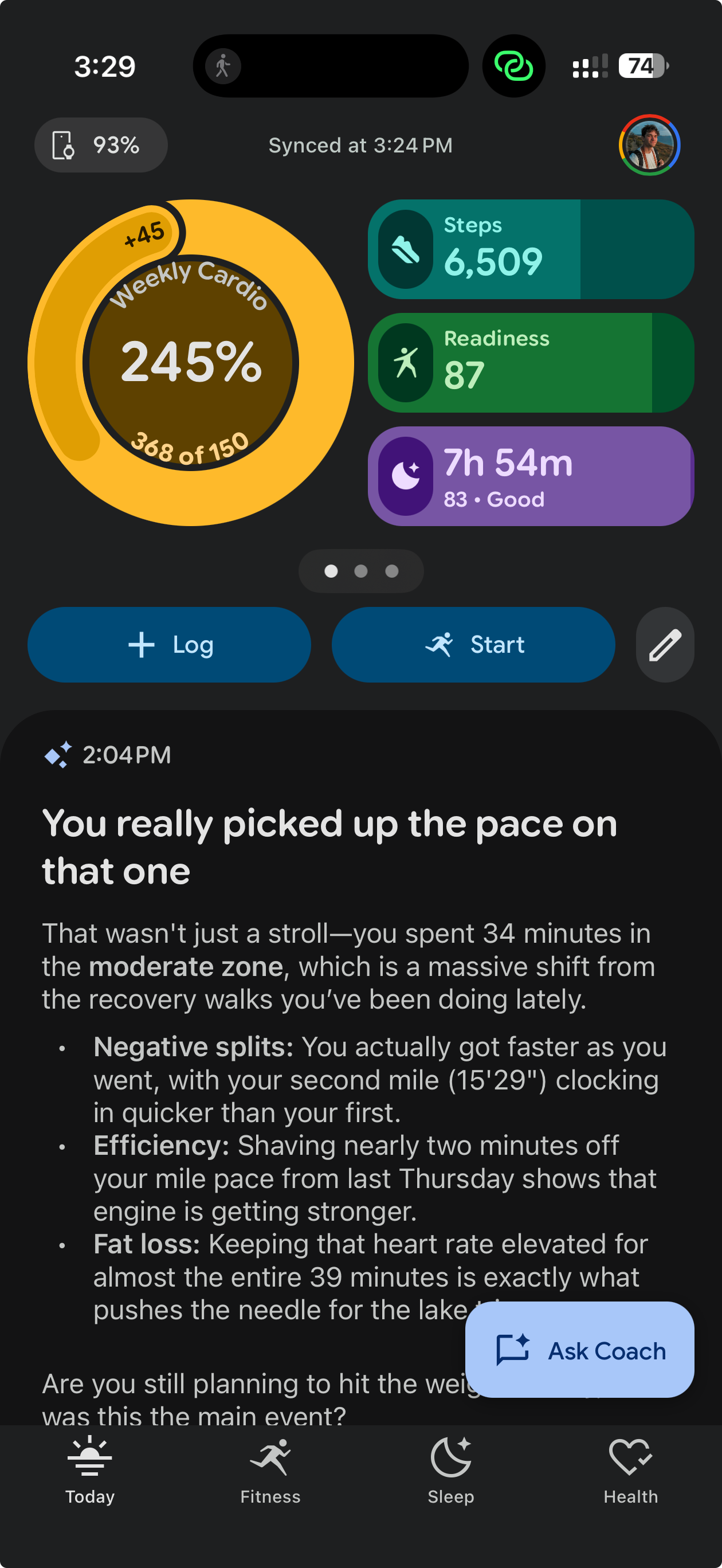
This app is.. fine. It's clearly opinionated, and I think you're either going to love it or you're going to hate it. It's pretty customizable, focusing on these Google-styled pills at the top of the screen to show you information about your weekly cardio load, steps, sleep, readiness, and other metrics. You can re-arrange these however you like. If you're focused on sleep, you can make that front and center. If you only care about steps, there's a pill for that. Cardio load and steps are the only large icons, though, and I think Google needs to add some more customization here.
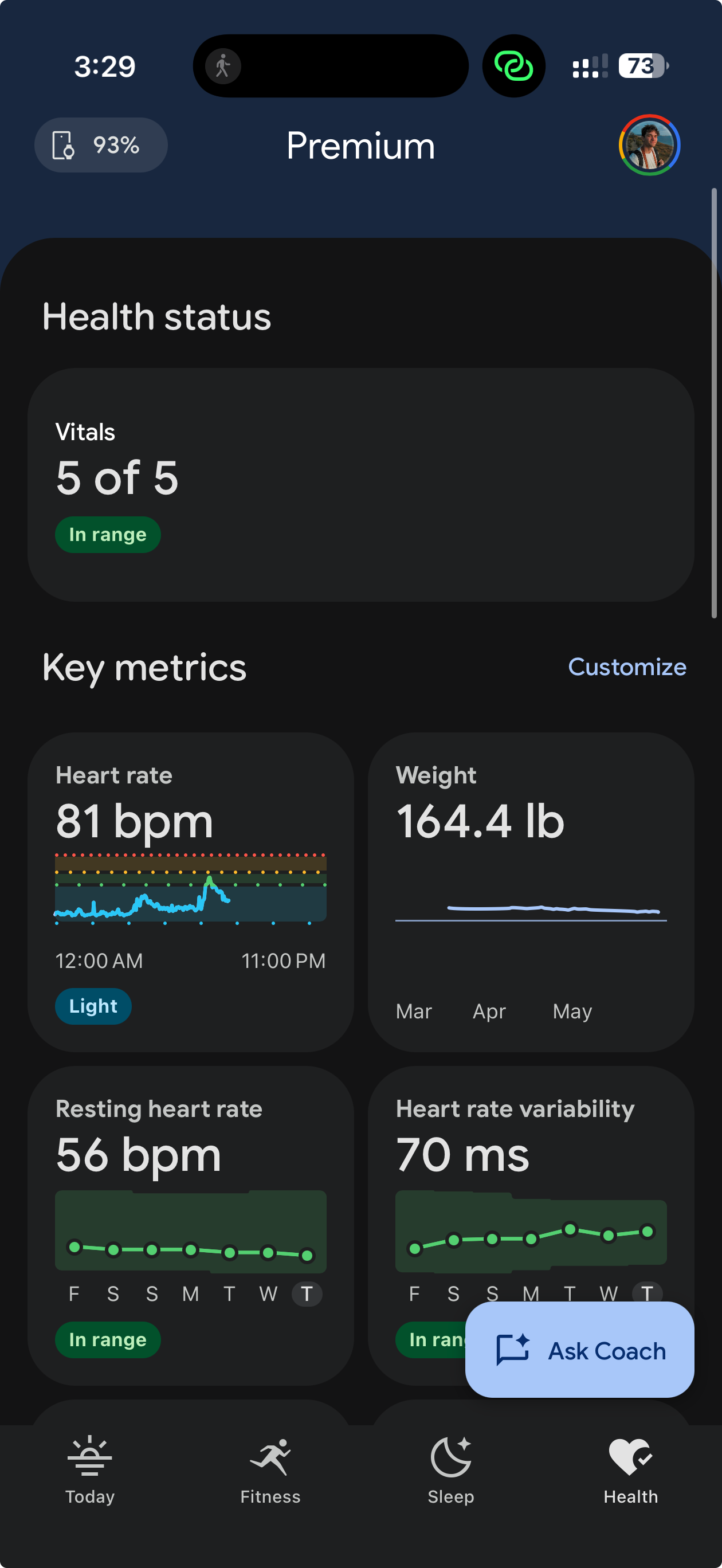
Google Health's four primary pages
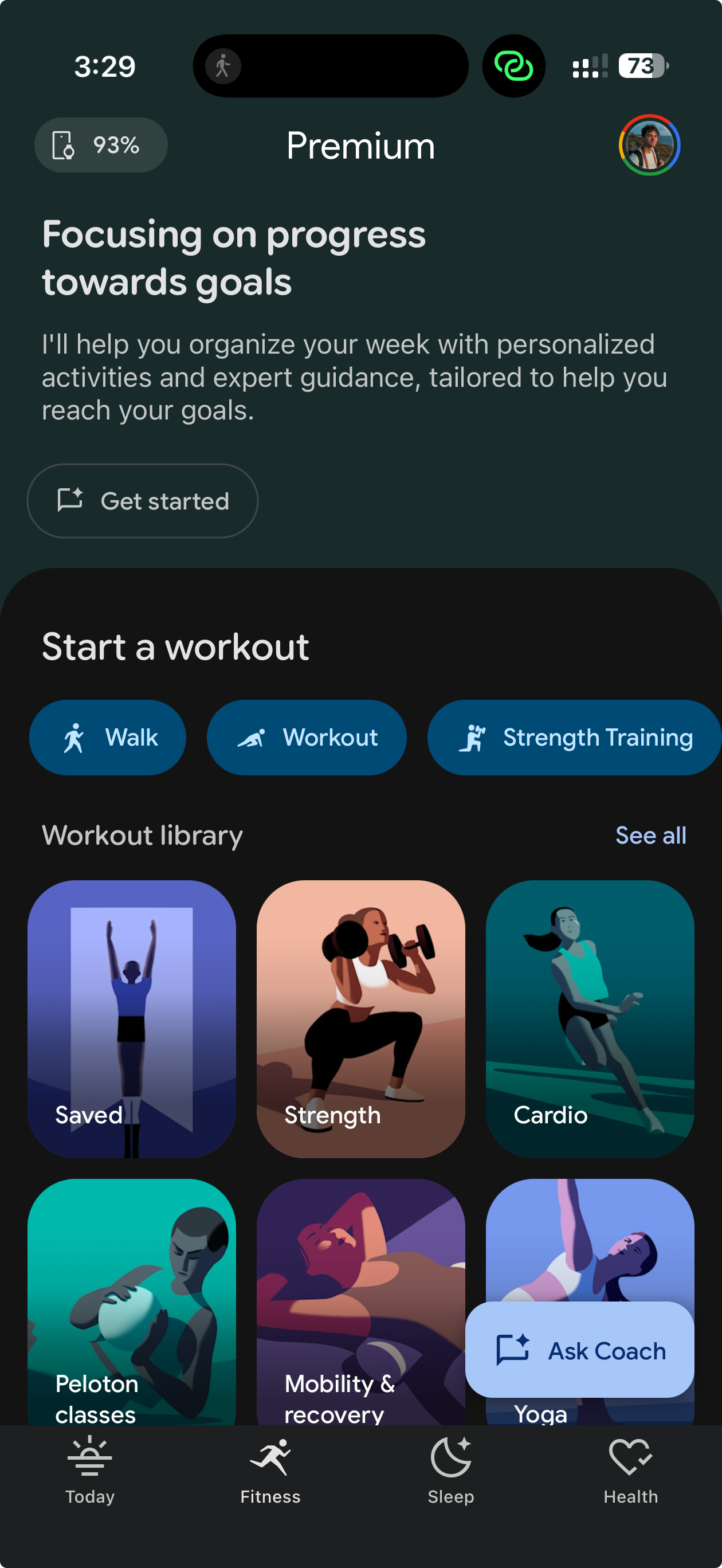
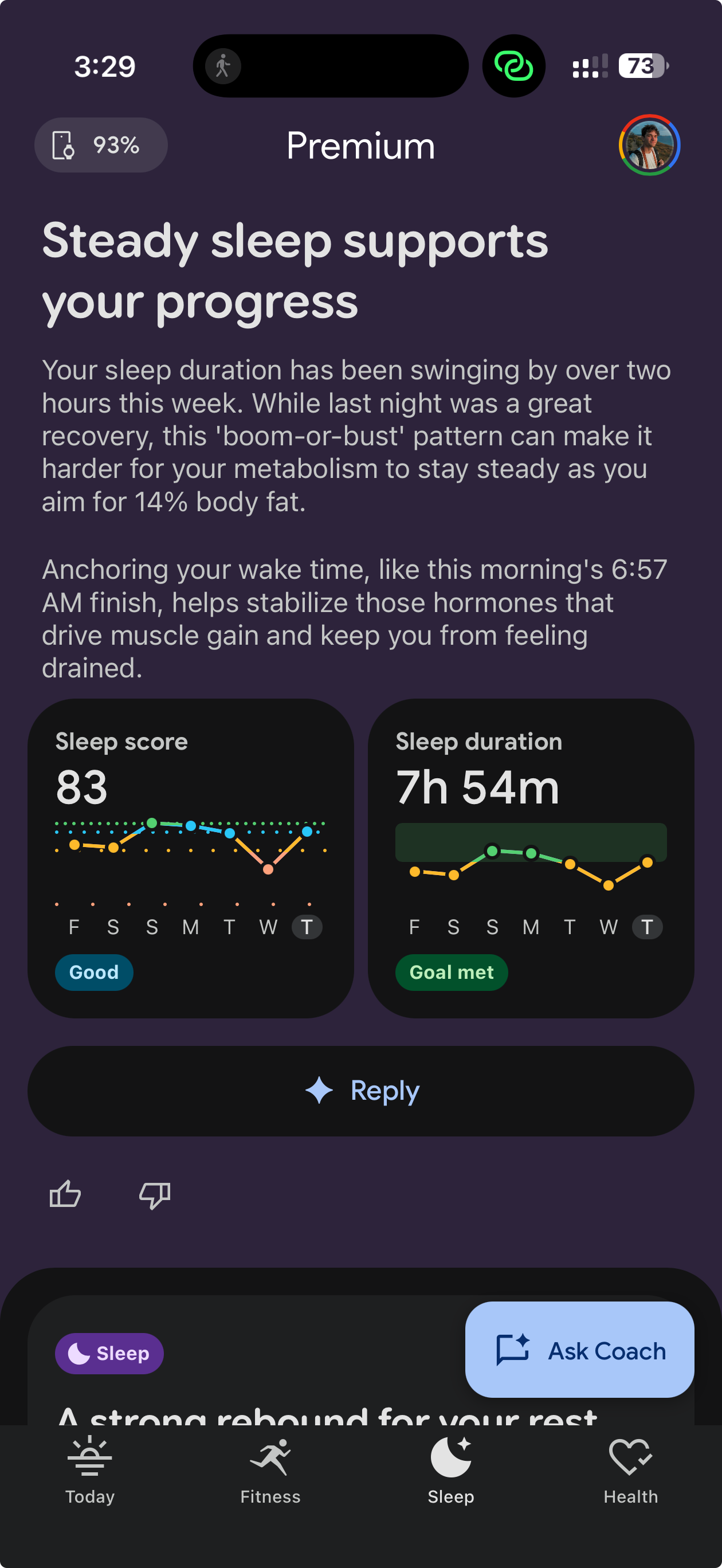
The Google Health app has four primary tabs strewn across the bottom of the app — "Today", "Fitness", "Sleep", and "Health".
Today shows your metrics for the day, and gives you the option to manually log activity, food, or body metrics like weight, glucose, temperature, sleep, hydration, or body fat.
The Fitness tab focuses on logging or performing different exercises, and gives you historical data on previous exercises and metrics. You can see things like cardio load, energy burned, and heart rate variability over the last week, and there's also a weekly leaderboard where you can compete over steps walked or cardio load with friends.
The Sleep tab shows detailed sleep information if you wear the band to bed, and lets you manage vibration alarms — a feature that some people will love so they don't wake up their spouse. Google also offers a "smart alarm", which will wake you up within a 30 minute window before your set alarm based on when you're coming out of a sleep cycle. I love this feature.
Finally, the Health tab shows you a number of vitals like real-time heart rate, weight, and heart rate variability. This tab will also let you drill down into different focus areas like heart and metabolic health, nutrition, and mental wellbeing. There's also a dedicated section for health checks and medical data logging — a category Google would eventually love for you to use to get locked into its ecosystem. Here you can store allergies, lab results, procedure data, and lab visits.
As smartwatches and fitness trackers have gotten more advanced, manufacturers have needed to come up with new metrics to track in order to get you to buy the new model. This has slowly bogged down the apps, burying you in tests to perform to get the most out of them. In Google's eyes, (along with Apple and the like) all this information will eventually be shared directly with your doctor, so the more the better. Health insurance companies have already started taking advantage, offering discounts to customers who use fitness trackers. That sounds nice, but the flip side of a discount for good numbers is a penalty for bad ones, and once your insurer is pricing your premium off your resting heart rate, "optional" health tracking starts to feel a lot less optional. The more of your life these devices measure, the more leverage that data hands to everyone who isn't you.
Google Health Premium and the Gemini problem
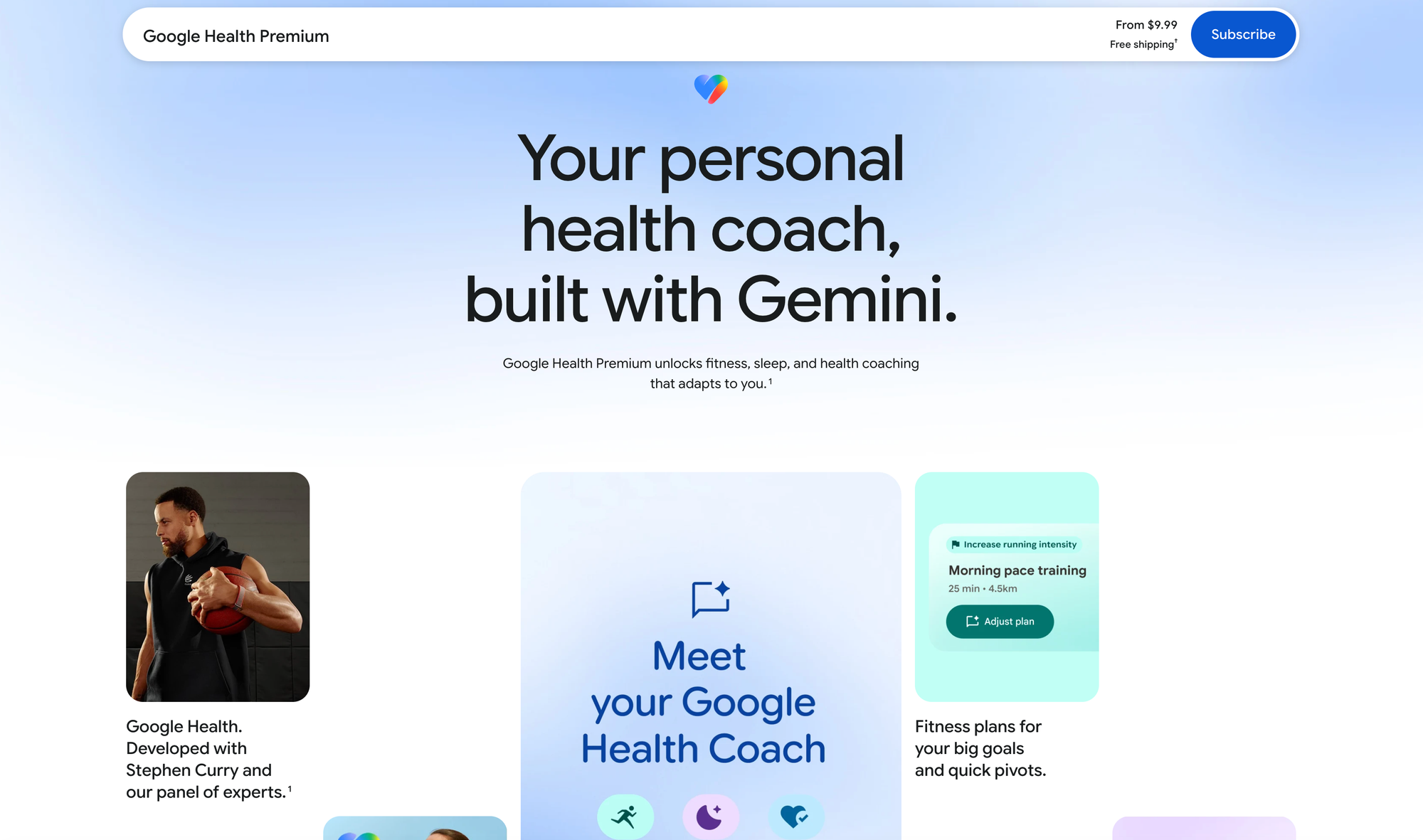
You may again notice my title for this article. The Fitbit Air is a wonderful product, which costs just $100 for a smart band that gets out of your way and gives you all the same health information as a dedicated smartwatch. But what makes it a terrible wonderful product is what Google really wants out of this thing — more Gemini users.
Google Health Premium is Google's $9.99 per month subscription for Google Health. And what it gets you, to its core, is more Gemini. Google brands this flavor of Gemini the "Coach", tailoring the chatbot specifically around fitness information.
The Gemini Coach shows up on the Today tab, giving you long sprawling updates every couple of hours based on your movement and sleep. It shows up in the Fitness tab, proposing a fitness plan based on your goals. It shows up in the Sleep tab, giving you daily feedback on your sleep quality. If you have Google Health Premium, Gemini shows up all over this app. And that's intentional, because even though Google is asking you to pay for the premium version of Google Health, it really just wants you to get hooked on Gemini.
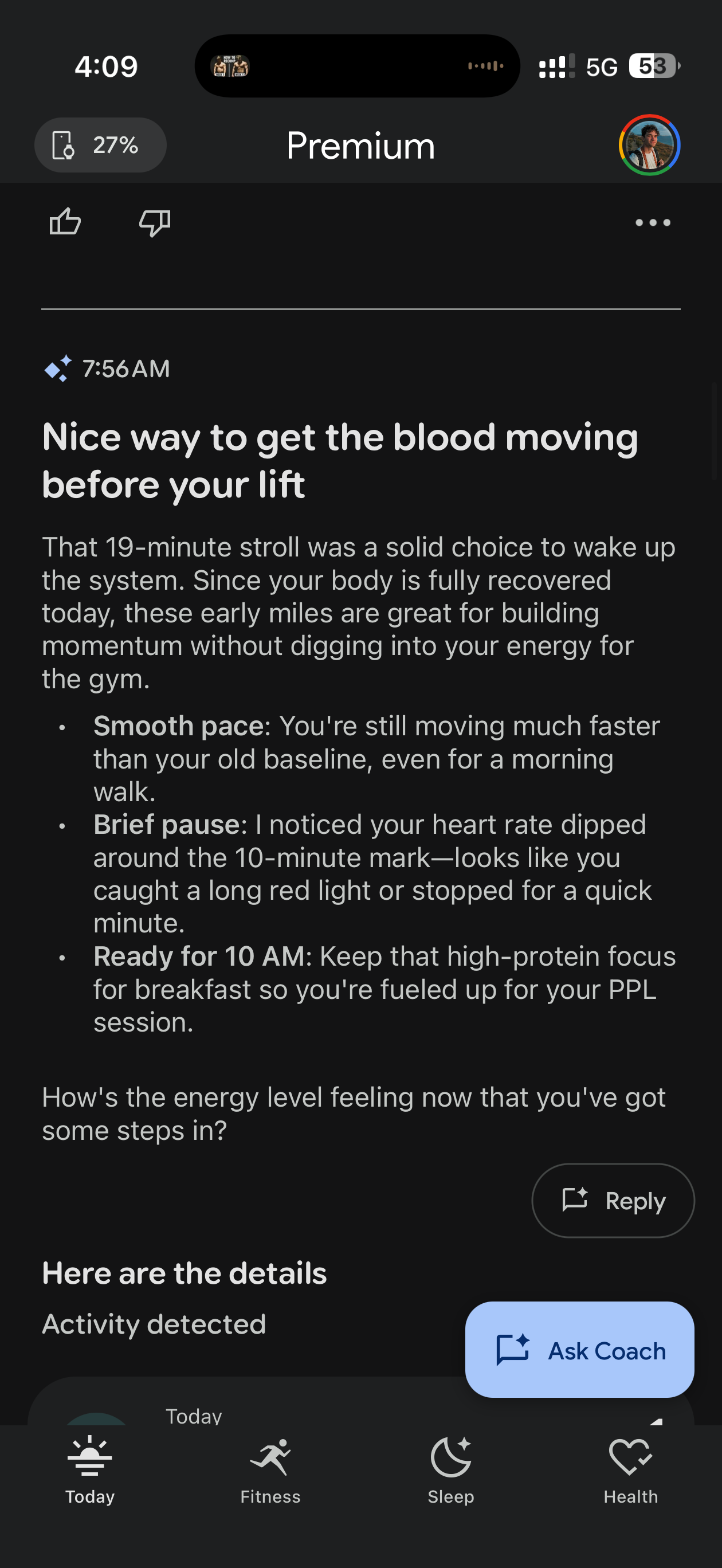
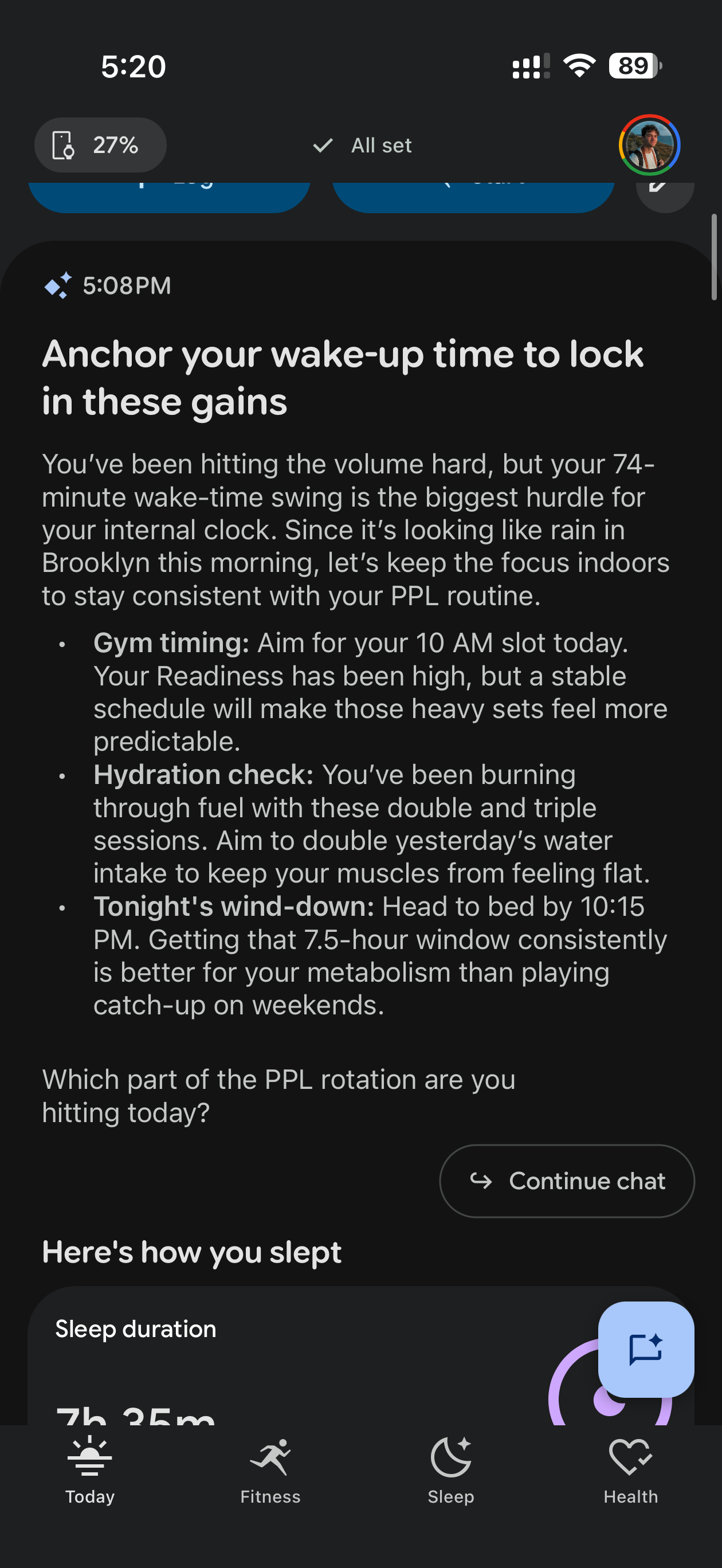
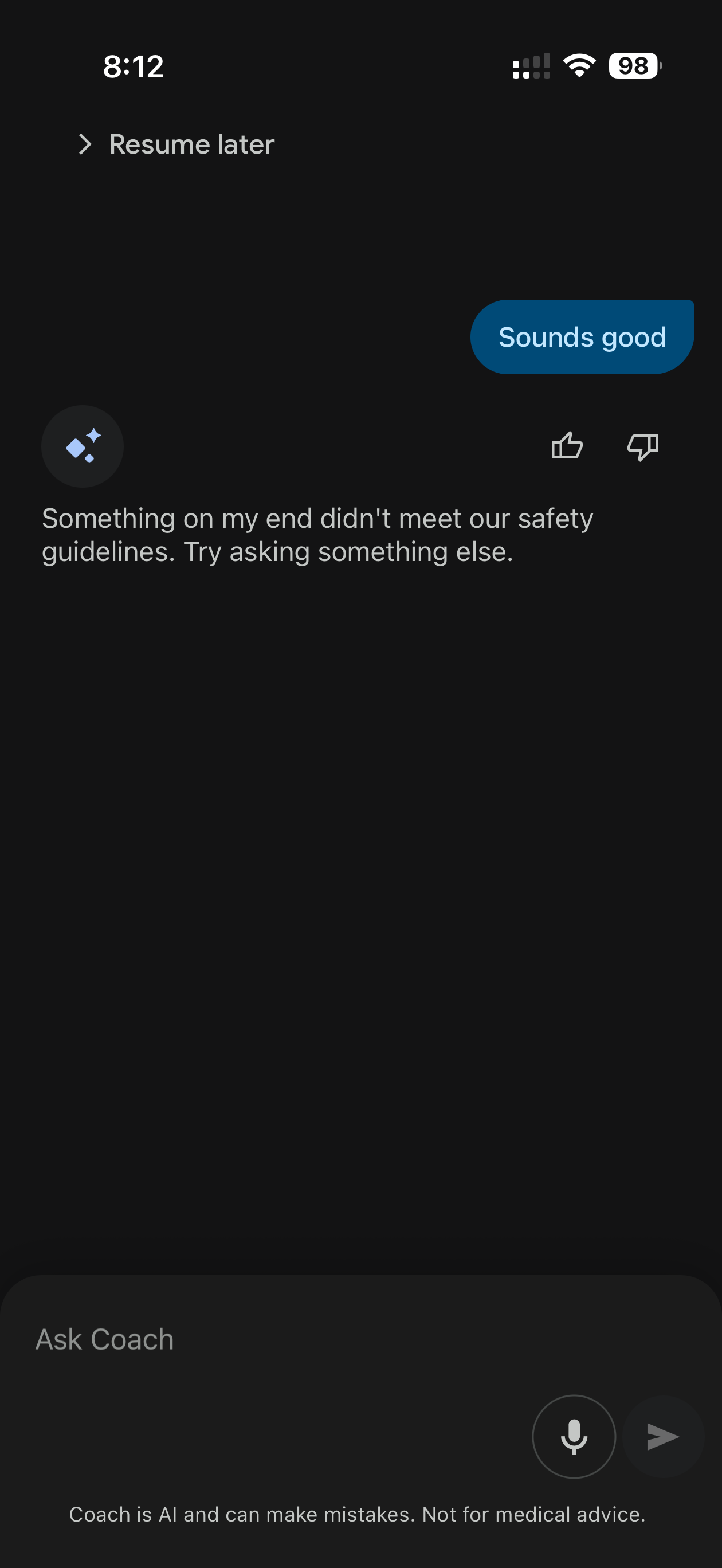
Various instances where the Coach was very dumb
This would all be great if the Gemini Health Coach worked as intended, but at least as of time of writing, the coach is just.. kind of dumb? The Google Health app already has all of my data, like my sleep, heart rate, steps, cardio load, and even calorie intake. But half the time, Gemini acts like it doesn't know this information at all, and will actually ask me to tell it information it already knows, then tell it it already has that info.
I'm not going to pretend to be a developer, as it's been a hot minute since I used to write code for a living. But it seems to me that the Google Health Coach is given access to your health data to use when it wants to, but doesn't actually anchor itself on it. It will frequently ask me questions about metrics it already has logged in the app. It's a bit baffling.
Let me list a variety of problems I had with the coach:
- Asked me how long my walk was, and when I told it, it told me "Hmm, I already have a walk that long logged. Should I delete it and replace it with yours?"
- Asked me if I was still planning on going to the gym at 10am... at 5pm
- Generated a summary of a 19-minute walk to the coffee shop, and asked why I might have slowed down at the 10-minute mark
- Told me I was "breaking its guidelines" when I said "sounds good" to its prompt when trying to set up a fitness plan
- Fixated on a burrito I ate for multiple days and kept telling me the burrito I ate was "fueling my day"
I also tried to set up goals through the Fitness tab using the Coach, something it prompts you to do, and it repeatedly told me I was breaking guidelines, even though I was simply following the prompts it was giving me. Because of this, I was never actually able to set any goals.
When the point of a screenless fitness band is to keep you off screens, the Gemini Coach sure tries to get you to look at your phone a lot.
Outside of these issues, the Gemini Coach is just... everywhere. On the primary tab of the app, the Today tab, it generates four or five summaries a day with a boatload of text about how your body should be feeling and recovering. In my opinion, this information just gets in the way, and causes you to hyper-fixate on every little thing that happens throughout your day. I would be ok with this giving me a summary in the morning or at the end of the day, but when the point of a screenless fitness band is to keep you off screens, the Gemini Coach sure tries to get you to look at your phone a lot.
This mirrors how Google's dedicated Gemini app works, too. Every time you finish getting a response from a prompt, the coach will ask you a question, trying to get you to continue the conversation. I'm guessing Google does this to get you into a feedback loop and develop a positive connection to the chatbot, but just like in the regular Gemini app, it will often fall into loops, asking the same questions or saying the same things.
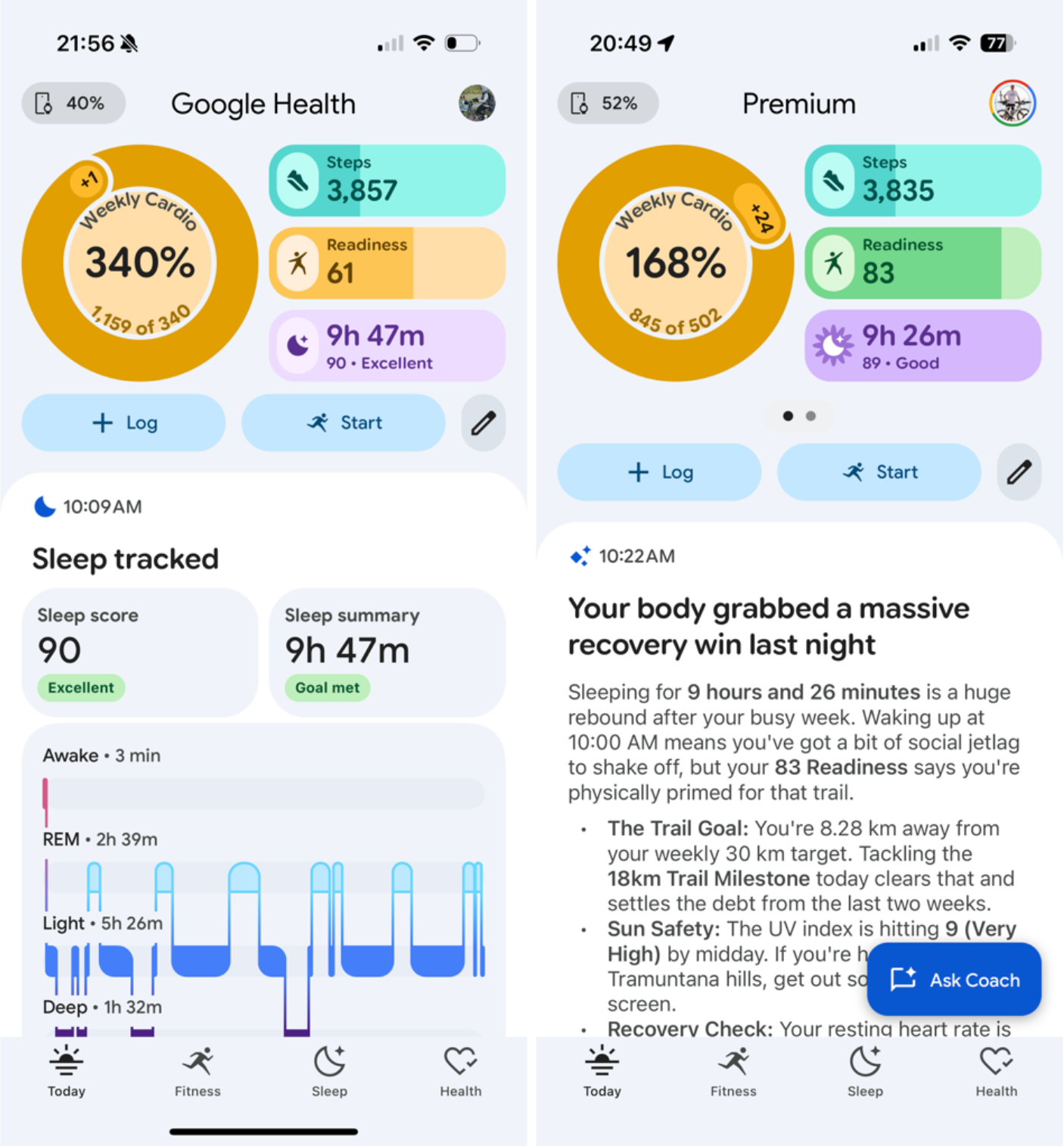
DC Rainmaker did a great review of the Fitbit Air with his wife — he used Google Health Premium while she used the free version, and the difference is striking. The free app is so much cleaner without the coach in your face everywhere. Oddly, this might be the first product I've ever used where I think the free version is more pleasant to use. All I want out of my fitness band is the raw fitness data logged in the background. Google Health Premium is trying hard to be much more than that.
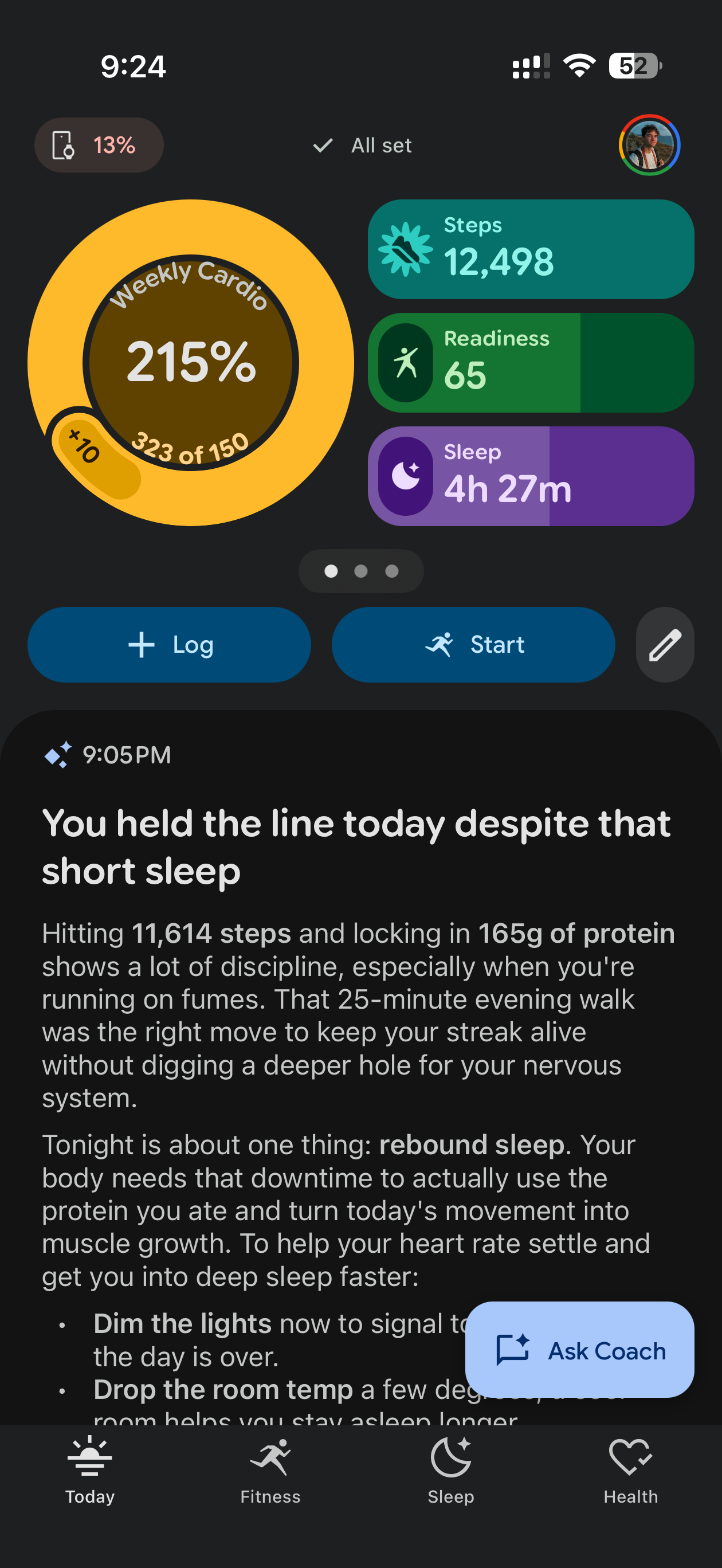
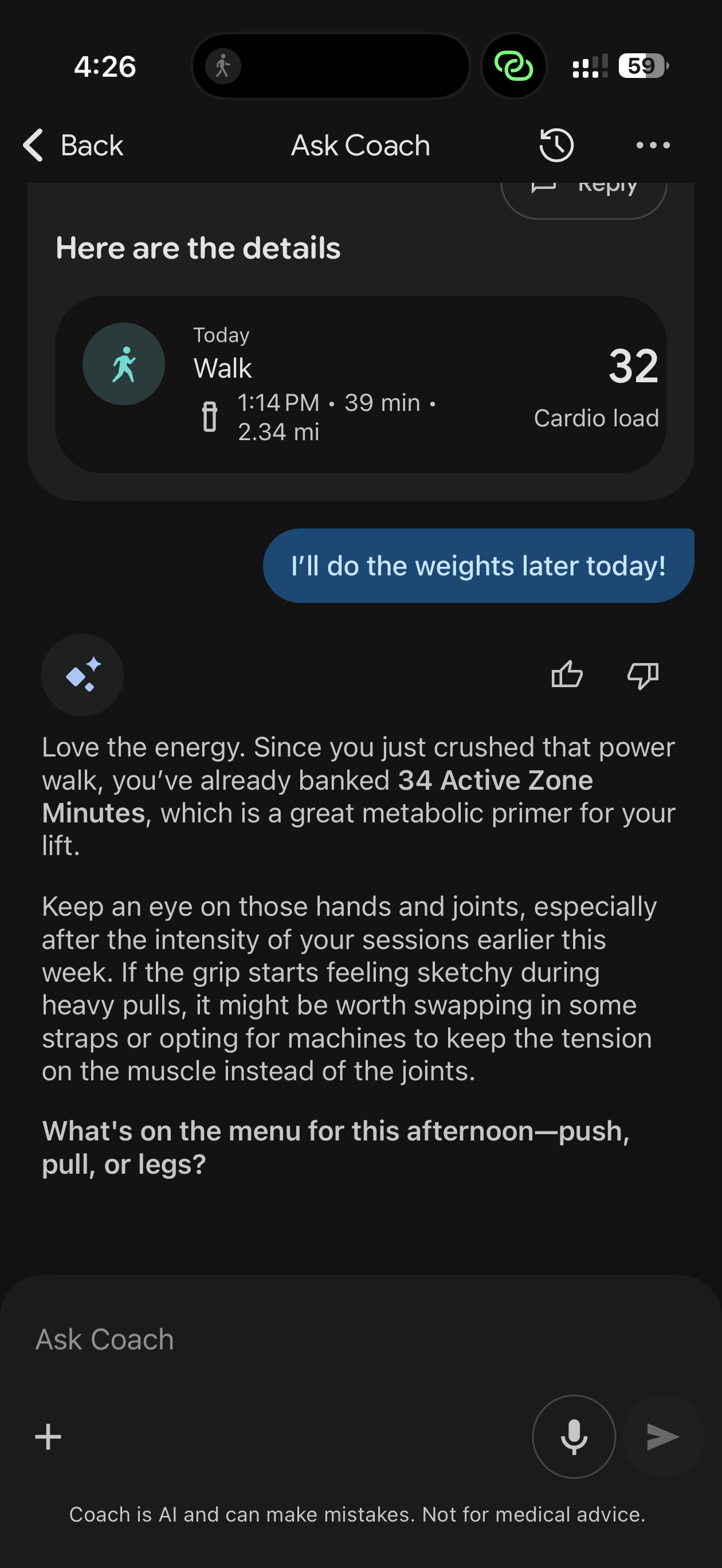
Instances in which the Coach was actually fairly enjoyable to talk to
If you do talk to the Coach, it does a decent job at helping you understand basic fitness questions you might have, and it's nice that it's centered around health. This is basically the same as making a Gemini "Gem" and asking it to be your fitness coach. It's just a focused version of an LLM, which is nice if you want it, but I honestly felt like simply using Gemini to answer these questions in the dedicated Gemini app yielded better results. But the general idea is that it tries to make sense of the data the Fitbit Air is collecting about you to make it easier to digest, and for people that don't use an LLM separately, I can see it being useful. I found the Coach most useful in the Sleep tab, but even then, Gemini telling me I slept badly will probably just make me feel worse all day.
There are a few other perks to having the premium subscription within Google Health. You can use Gemini to take photos of your food to log it, and it will try to break it out into ingredients and guess the calories. You can also take a photo of workout sets you've written down and it will log those. Effectively, it uses Gemini's multimodal capabilities to break down images and store them for you as metrics. This feature actually worked very well, and if I wasn't already using MacroFactor for my calorie tracking, I would use this more.
The band was never the point. It really just wants you to use Gemini.
You'll also get Google Health Premium for free if you're subscribed to Google AI Pro, Google's $19.99 Gemini plan, which, in my opinion, is what Google actually wants you to sign up for.
For ten more dollars, Google AI Pro gets Google Health Premium, plus 5TB of Drive storage, YouTube Premium Lite, and 4x the Gemini usage everywhere else. It's honestly a fantastic deal, and it makes me think that Google never intended anyone to pay for Google Health Premium by itself. It really just wants you to use Gemini.
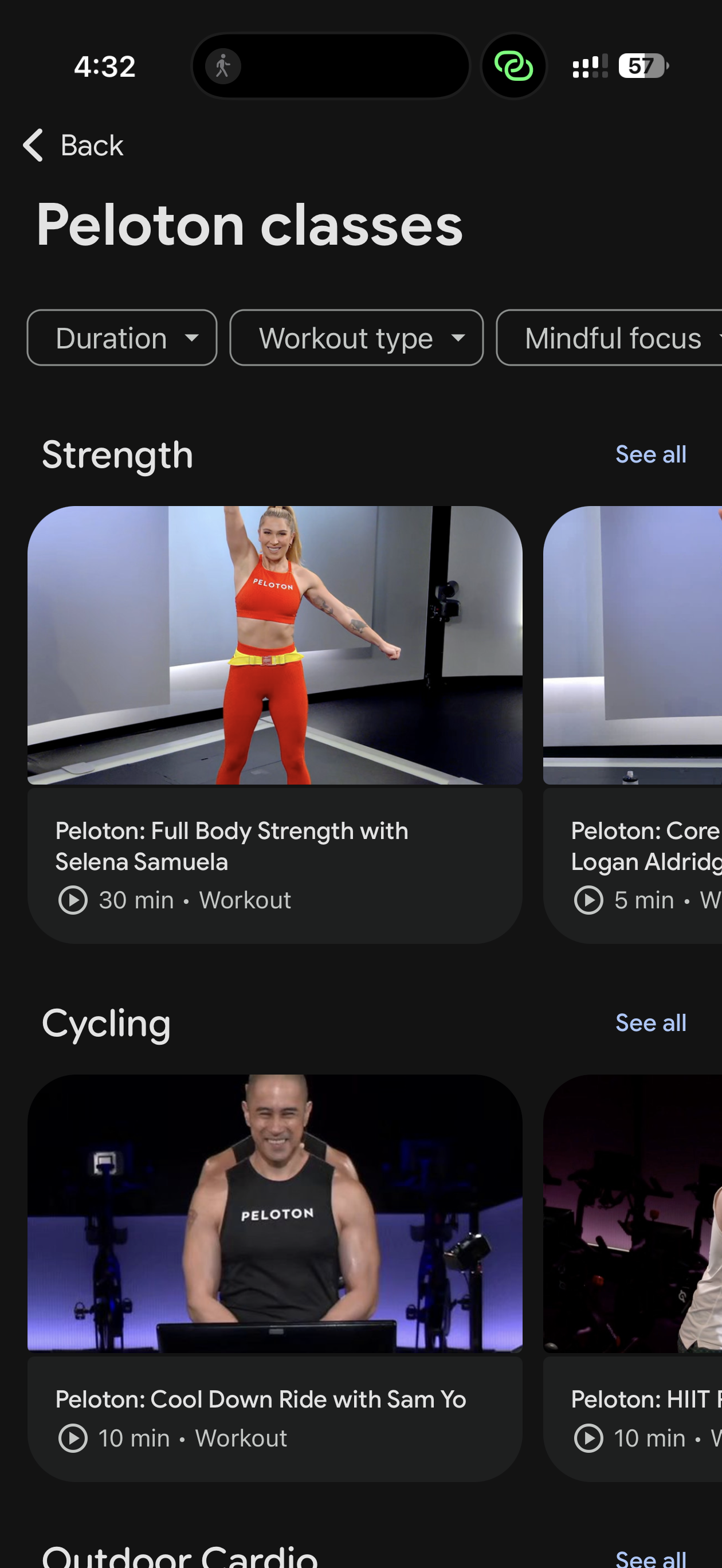
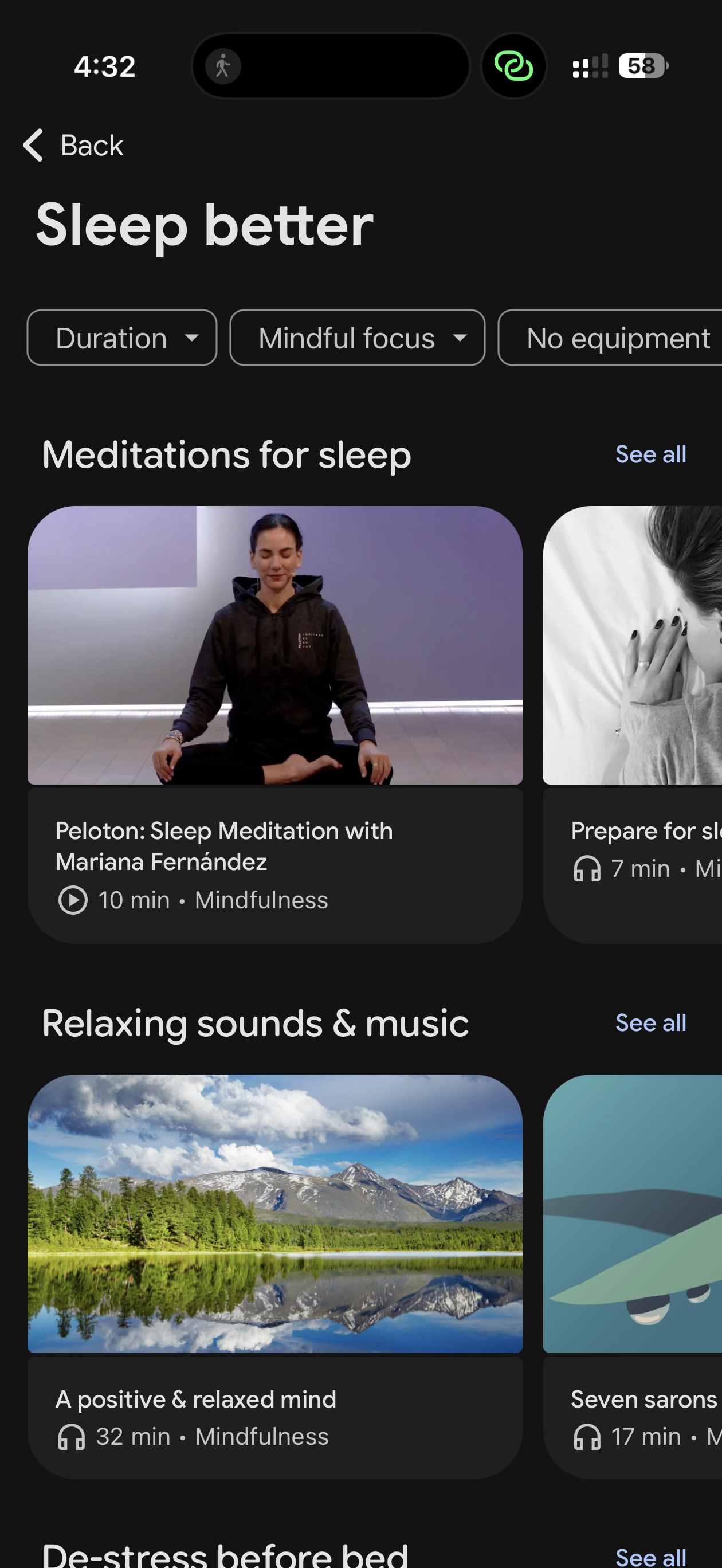
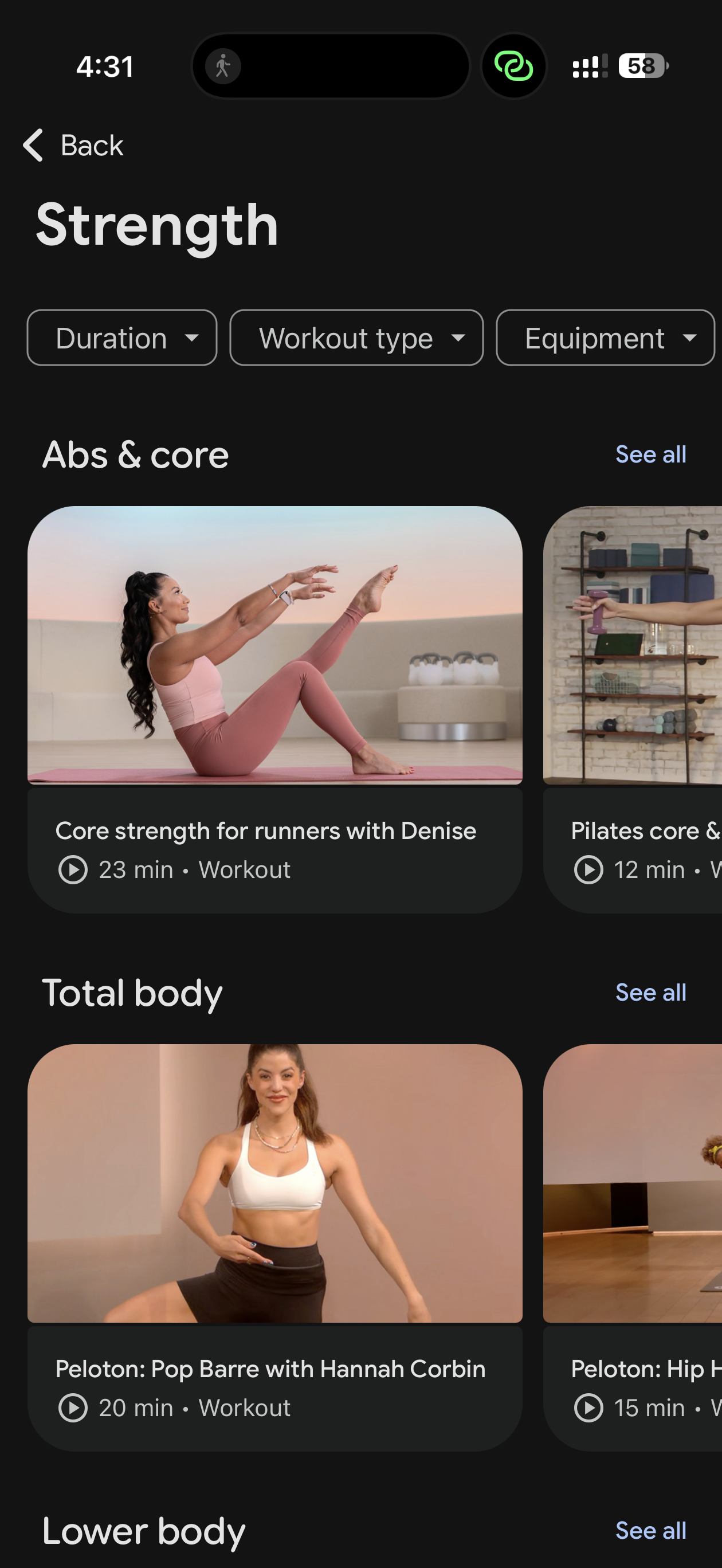
Classes included in the Google Health app
Google Health Premium also comes with workout classes (including Peloton) and mindfulness classes, which can be helpful if you don't have any other app for exercise or access to a gym. I don't think these are nearly as high-quality as something like Apple Fitness Plus, but it's nice as a little perk.
I was also surprised by how many integrations from other apps and services Google offers with Google Health. There are official integrations with popular apps like MyFitnessPal, Headspace, Peloton, AllTrails, Noom, and Hevy, but I was surprised to learn that the macros I logged in my calorie-tracking app MacroFactor were mirrored in Google Health, too. I'm currently on an iPhone Air, and Google Health will pull data from Apple Health, which pulls data from MacroFactor. This was a pleasant surprise, because it means I can use Google Health for practically all my fitness and health information. Unfortunately, Apple Health will not pull data from Google Health natively at the moment, but there are a number of apps you can download that will bridge that information for you.
Google also wants you to store your medical records in this app, like lab results, doctor's visits, vaccines and vitals, and Gemini will give you summarized overviews of your results. This is clearly a long-term play for ecosystem lock-in, but lucky for me I don't have any healthcare providers. Checkmate, Google.
Bugs
Oh boy. I've had the Fitbit Air since about two weeks before the actual release date, and good lord the bugs have been rampant. I will list them below. While I think most of these bugs will eventually be fixed, and Google has even released a bug fix roadmap in response to everyone having a ton of bugs, it's important to list the bugs that exist at launch, as people can currently go to the store and buy the thing.
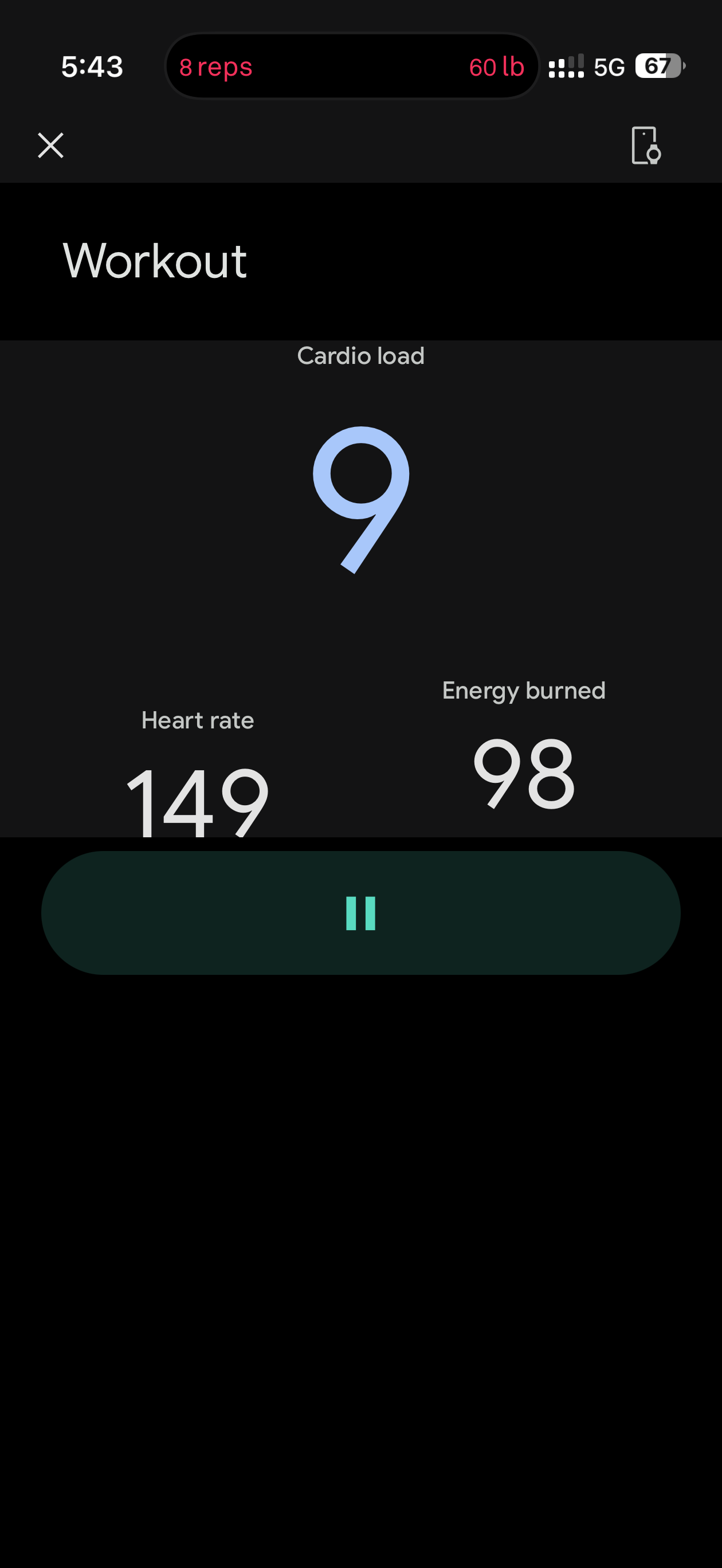

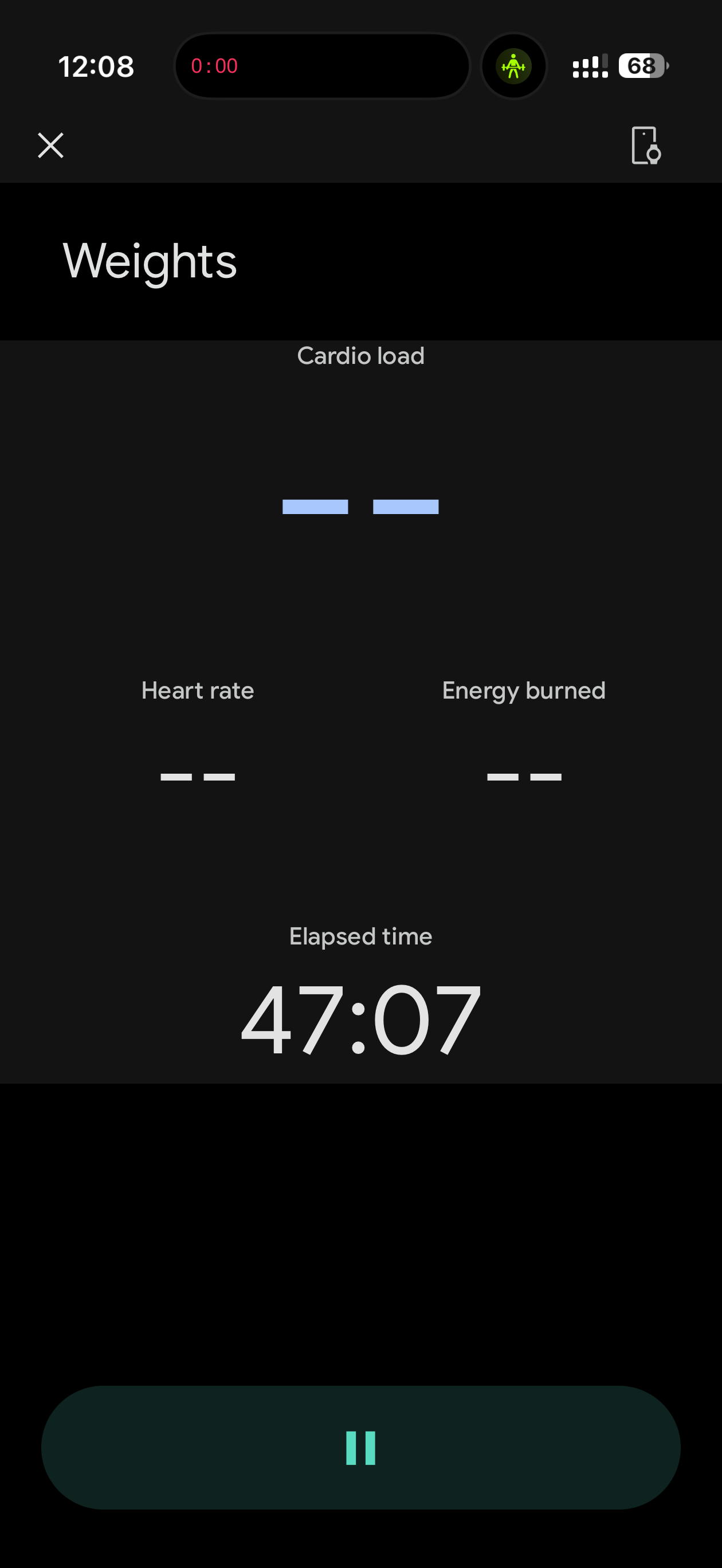
Various bugs I encountered throughout my testing
- When I start a workout and my phone is in Dark Mode, the workout screen looks.. very broken. Text and graphics are not aligned and there are large black boxes
- Occasionally during workouts, no information will show up until I finish the exercise.
- When I set up the device, it asked me to set my bedtime. I could only set the time in 15 minute increments, and once I passed 6am it switched to pm, and I couldn't change it.
- The friends and family tab was just black and I couldn't accept any friend requests (logging out and logging back in fixed this)
- If I'm doing a walking workout, I get a persistent notification that just says "Walk"
With as long as Google has had this new Google Health app in beta, and how big of a product launch this is set to be for Google, I would have hoped they'd have this app more stable by now. I had so many issues that I got on a call with Google to talk about them individually. Again, Google has now released a roadmap of bug fixes, but the fact that they needed to do that at all is a bit embarrassing.
Why I still love it
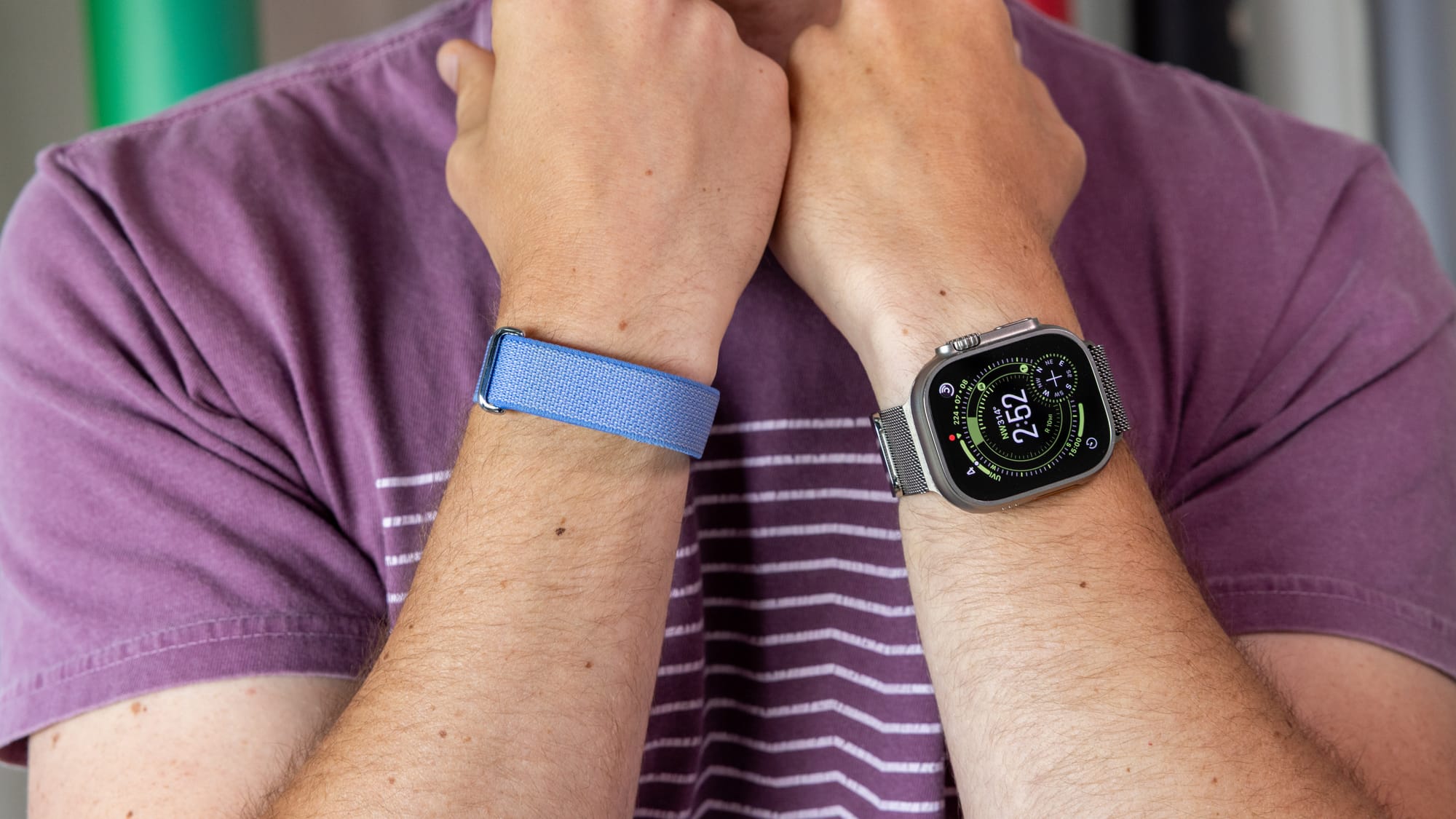
Despite all the problems, most of which have to do with Gemini, I still really enjoy the Fitbit Air. All I really want from a fitness band is for it to get out of the way and track my data for me that I can look at later.
Google rates seven days of use with the Air, but in my testing, I got eight full days with 13% still left in the tank when I finally decided to charge it. When you do, you can get a day's use in five minutes, or a full charge in about 45 minutes. That's incredibly convenient.
The Gemini summaries are an interesting idea, but they're much too frequent, and I would prefer to ask it about my health data when I feel like it, not when it feels like it.
Still, the Fitbit Air is a wonderful value at $100, and I would recommend it to anyone who wants to wear an analog watch but still collect fitness information. Just... maybe work out those bugs, Google.
If you want to see me talk about this in detail, check out this week's episode of the Waveform Podcast, where we ramble about the Fitbit Air for a good thirty plus minutes.